- Scams
- Social Media Scams
Phishing on Social Media
Phishing on Social Media
Last updated
Scammers send messages or post on, for example, Facebook, Instagram or WhatsApp. Often the message comes from a friend's hijacked account and asks you to click a link, vote in a competition or send a code. The link leads to a fake login page. When you log in, the scammers take over your account and use it to trick your friends.
Warning signs
A friend writes in a way that doesn't sound like them.
You're asked to log in to see a picture or video, or to vote.
You're asked to send a code you've received by text message.
An account that looks like Meta or Instagram says your account will be closed.
Examples of Phishing on Social Media
Fake Facebook suspension
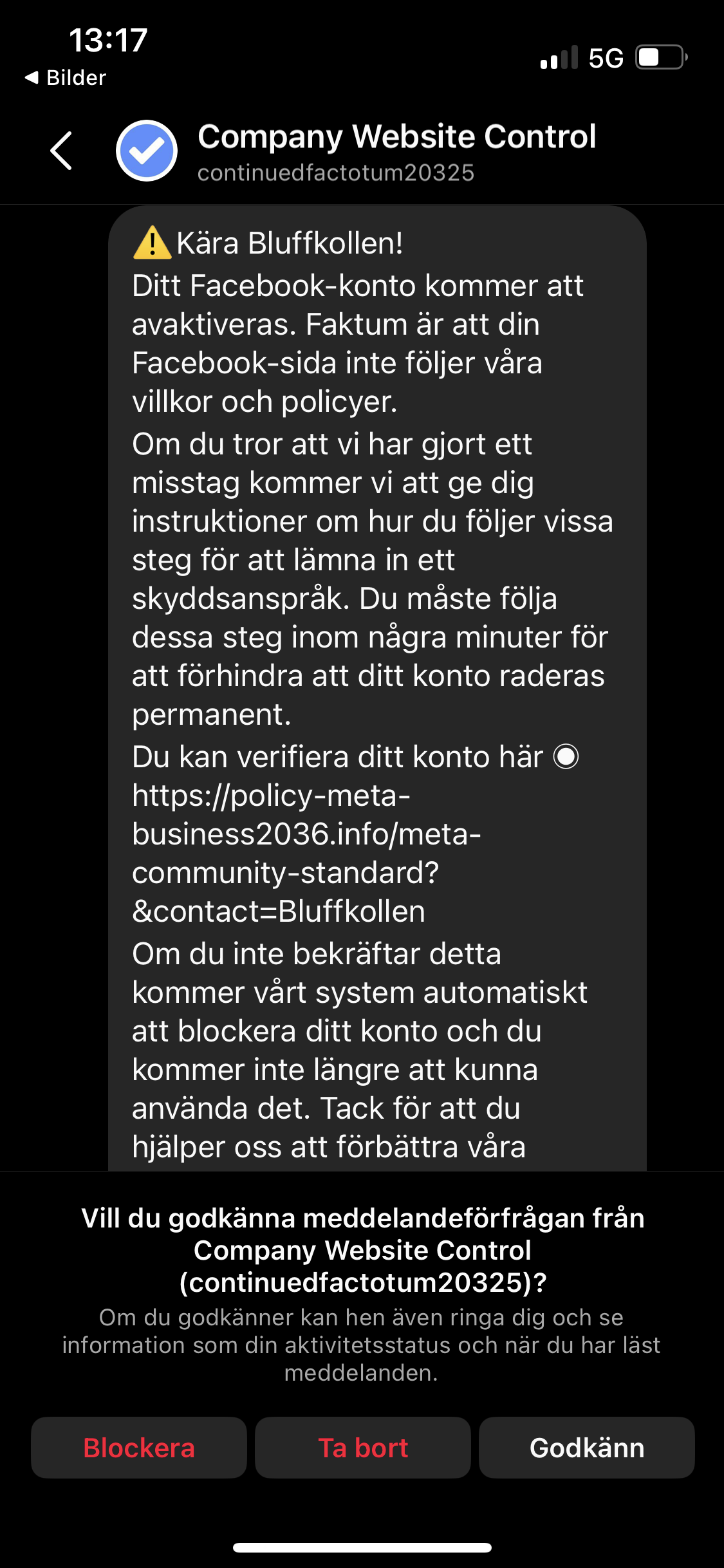
Here is an example that was sent to one of Bluffkollen's own pages. The scammer claims to be from the platform's security team or similar, and says you have broken the guidelines. So you have to open this link quickly and change something before the page is taken down. A platform like Facebook won't send you a private message like this. On top of that, the account name is very odd, and so is the wording, for something that is supposed to come from a serious company.
Fake job offer
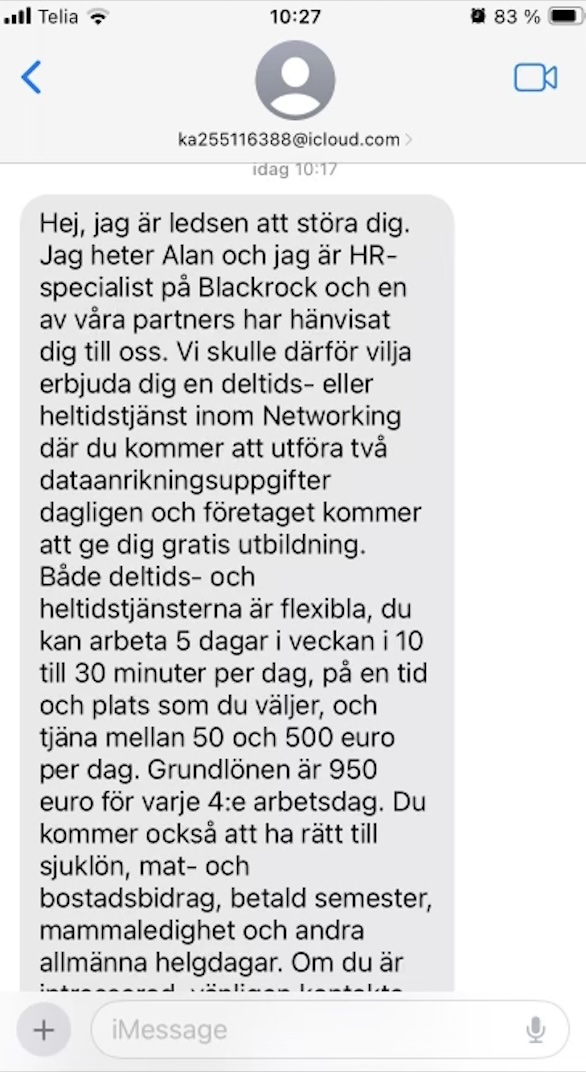
This is an example of a fake job offer, where the scammer sends out an ad for a lucrative role. In this case they claim to be from the company BlackRock, and say someone recommended you for this kind of role, which asks very little of you but pays well. Common sense often tells you that something that sounds too good to be true usually is. But in this case you can also notice that the message doesn't come as an email from someone with a BlackRock address, but as a text from an iCloud address that doesn't look professional at all.
How do you avoid this?
- Turn on two-step verification on your social media accounts.
- Never pass on codes you've received by text message.
- If you're unsure, ask your friend another way, for example by calling them.
Has this happened to you?
- Change your password right away and log out all other devices.
- Warn your friends that your account may have sent fake messages.
- Can't get in any more? Follow the platform's help for hacked accounts, for example facebook.com/hacked.
- phishing
- social media
- hacked account