- Scams
- Online Scams
Fake Virus Warnings
Fake Virus Warnings
Last updated
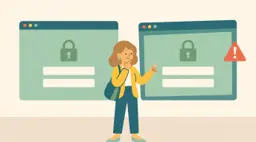
While you're browsing, a warning pops up saying your computer or phone has a virus. Sometimes it beeps or locks the screen. The warning wants you to download a program, pay for "protection" or call a support number. The program is often malicious, and the number goes to scammers.
Warning signs
The warning appears in your web browser, not in your own antivirus program.
It shows a phone number for you to call.
It wants you to download something or pay right away.
The page can't be closed, or it beeps and flashes.
How do you avoid this?
- Close the tab or the browser. If you can't, restart the computer.
- Never call the number and don't download anything from the warning.
- Keep your computer updated and use the built-in protection, for example Windows Security.
Has this happened to you?
- Uninstall the program you downloaded.
- Have you paid or given card details? Call your bank right away and block the card.
- Have you given someone access to the computer? Disconnect it from the internet and change your passwords from another device.
- Report it to the police at polisen.se or call 114 14.
- virus warning
- pop-up
- antivirus
- virus
- scareware